
Jeopardy!® Trivia TV Game Show
Uken GamesTrivia
4.445.76K Reviews
- Version
- 60.0.0
- Installs
- 5.00M
- Age Rating
- Everyone
Screenshots


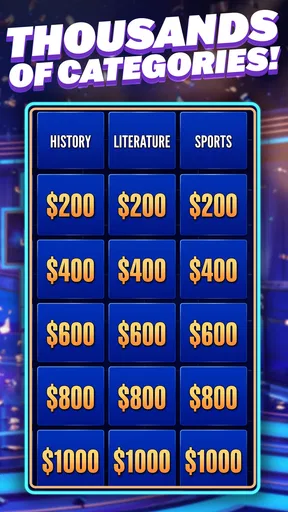
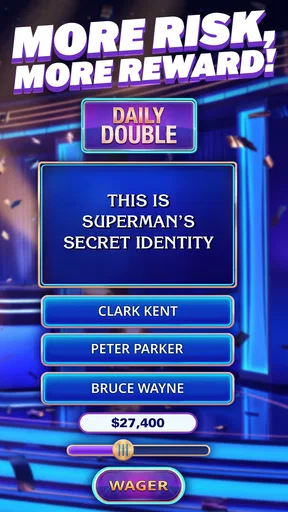

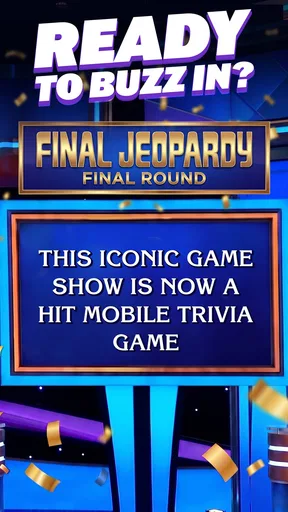
Our Review of Jeopardy!® Trivia TV Game Show
 Analysis by Appyee
I like trivia best when it gives me a small, clear reason to come back without turning every spare minute into a commitment. Jeopardy!® Trivia TV Game Show has that familiar question-and-answer appeal: it lets me test what I know, spot gaps in my knowledge, and enjoy the rhythm of a quiz in short bursts. It is a free trivia game from Uken Games, and its 4.4 average from around 169,000 ratings suggests it has found a sizable audience. For me, the main draw is not simply getting answers right; it is the steady little challenge of deciding whether I know enough to respond.
Small goals that make it easy to begin
The game’s basic appeal is immediately understandable, which matters when I have only a few minutes. I can open it looking for a quick mental workout rather than needing to plan a long play session. Its familiar quiz-show framing gives each clue a clear purpose: read carefully, connect it to a category, and make a call. That simple loop is a useful starting goal for a new player, even before any longer-term progress becomes important.
In an everyday situation, I might play while waiting for a friend at a café or taking a break between errands. That is a better fit than trying to use it while walking, working, or doing anything that needs my attention. Trivia rewards a little concentration, and rushing through clues just to fill time can make the game feel less satisfying. I find it more enjoyable when I treat a short session as a chance to focus rather than as background noise.
The app is rated Everyone, so it is an approachable option for a household where different ages want to try a quiz together. That does not mean every clue will suit every player equally: general knowledge depends on what someone has watched, read, studied, or experienced. I would use it as a friendly way to compare what people know, not as a test that expects everyone to start with the same knowledge.
What progress feels like in a trivia game
Trivia progress is less straightforward than leveling up a character or finishing a campaign. The clearest signal is often your own changing response to clues: a category that once felt unfamiliar may begin to make sense, or you may notice that you are hesitating less before choosing an answer. I like that kind of improvement because it is tied to learning, not just to a number on a screen. Still, players who want detailed records of strengths and weaknesses may find this style of progress less informative.
A practical way to get more from a session is to pay attention to the categories that repeatedly slow you down. Rather than trying to memorize every missed clue, I would mentally note the subject area and look for a pattern across several rounds. That turns a casual game into a light learning habit: play, notice where your knowledge is thin, and return with a better sense of what you want to practise. It also keeps a wrong answer from feeling like a dead end.
The game has more than a million installs, but a large audience does not automatically make every match a personal milestone. I would judge progress by whether the clues keep me curious and whether I can tell I am learning, rather than assuming that a streak or a win says everything about my trivia ability. That distinction is useful for casual players: it makes the experience enjoyable even on a session when the questions land in unfamiliar territory.
Challenge, pacing, and the value of a pause
The difficulty of trivia can feel uneven because a clue’s challenge depends on the player as much as on its subject. A question that is obvious to a film fan may be baffling to someone who rarely watches movies; a history clue can reverse that experience. I appreciate a game that asks me to move between areas of knowledge, but I would not interpret a tough run as proof that I am getting worse. Sometimes the categories simply do not line up with what I know.
That makes pacing important. I get more out of a few attentive rounds than from trying to keep playing after my focus has gone. When I am tired, I am more likely to skim a clue, overlook a key word, and blame the game for a mistake I made in a hurry. Taking a break is a sensible way to keep the challenge fun. This is not the ideal choice for someone who wants a constant stream of action, fast reflex tests, or a story that carries them from one level to the next.
Compared with broad quiz apps that emphasize a wide range of trivia formats, this one has the particular appeal of the Jeopardy-style clue-and-response tradition. That recognizable structure is its strength if I want the feeling of a familiar quiz show. A general knowledge app with custom topic selection may be a better alternative if I want to focus narrowly on one subject, while a word or puzzle game will suit me better when I want something less dependent on what I already know.
Keeping play enjoyable without making it a chore
Free access makes it easy to try, though optional in-app purchases range from $1.99 to $99.99 per item. I would decide whether to spend only after I had played enough to understand what I personally want from the game. A purchase is not a substitute for enjoying the questions, and a player who is content with occasional short sessions may have no reason to buy anything. If you are considering an item, check its purpose and price in the app before confirming; the range is broad enough that it is worth making a deliberate choice.
Ads can also affect the rhythm of a session. If an interruption appears between rounds, it may be a minor pause when I am playing casually, but a more noticeable break when I am focused or playing with someone else. I would try the free experience first and see whether the interruptions bother me before deciding what to do next. The game is a weaker fit for anyone who strongly dislikes ads or expects uninterrupted play without paying attention to purchase options.
For a low-pressure game night, I would use the app as a source of quiz prompts and let everyone take turns thinking through the clues. That works best when the group treats answers as conversation starters instead of keeping score too seriously. A quick debate about why a clue points to one answer can be half the fun. If the group wants a fully customizable quiz, a dedicated party game may be a better choice; this app is most appealing when its particular show-style format is part of the attraction.
Who is likely to enjoy it—and who may not
I would recommend it to people who enjoy general knowledge, like recognizing familiar quiz-show conventions, or want a compact way to challenge themselves during a quiet break. It can also suit friends or family members who enjoy answering clues together, provided they are happy to keep the competition light. The game’s Everyone age rating makes it broadly accessible, while the free starting point lowers the barrier to seeing whether its style clicks.
I would steer someone toward another kind of game if they prefer guaranteed progress through a story, direct control over every topic, or a challenge based mainly on speed and reflexes. Trivia can expose gaps in knowledge without giving a player a neat, predictable path to overcome them. That is part of its appeal for me, but it can also feel discouraging if I expect every session to show measurable improvement. The best mindset is curiosity: enjoy the clues you can solve, and treat the rest as a nudge to learn something new.
The current version is 59.0.0, and the game supports devices running Android 7.0 or later. Those details make it worth checking compatibility before downloading, especially if I am using an older phone. It is free to install, but optional purchases are part of the experience, so I would keep that in mind if a child will be playing on a device where purchases can be made.
One question people often have is whether a short visit is worthwhile. In my view, yes: a few focused clues can make a satisfying break, and there is no need to reserve a long block of time. Another is whether it is suitable for playing with others. It can be a fun shared quiz, though it works best when everyone is comfortable with the same clues and nobody minds that different subjects favor different people. If uninterrupted or highly tailored group play is essential, another format may fit better.
First Impressions and Setup
As soon as I downloaded the game, I was immediately hit with a wave of nostalgia. The familiar theme music and iconic board setup transported me right back to sitting on my couch, eagerly shouting answers at the TV. Setting up was a breeze. With just a few taps, I was ready to jump into a game. The interface is sleek and user-friendly, which I appreciated since I didn't want to waste time figuring things out. I was there to play!
Gameplay Experience
Once I started playing, I was hooked. The game offers a variety of modes to keep things interesting. Whether you want to play solo, challenge a friend, or join a tournament, there's something for everyone. I personally loved the tournament mode. It adds a layer of competition that makes winning feel even more rewarding.
The questions vary in difficulty, just like the TV show, which kept me on my toes. I found myself learning new things with every session. And let's be honest, who doesn't love the feeling of getting a "Daily Double" right? It's a rush!
Features Worth Highlighting
One of the standout features of this app is its ability to mimic the real game show experience. The sound effects, the categories, and even the quirky clues all contribute to an immersive experience. Plus, the app updates regularly with new questions, so you never run out of fresh content.
I also appreciated the "Practice" mode, where I could hone my skills without the pressure of competition. It’s a great way to warm up before diving into the more intense game modes.
Room for Improvement
No app is perfect, and it is no exception. While I thoroughly enjoyed my time with it, I did notice that the ads can get a bit intrusive at times. They often pop up between rounds, which can disrupt the flow of the game. However, there is an option to purchase an ad-free version, which is something to consider if you find them too distracting.
Additionally, while the app is great for casual play, I found myself wishing for more in-depth stats or achievements to track my progress over time. It would be a neat addition for those of us who love to see our growth as trivia masters.
Final Thoughts
Overall, Jeopardy!® Trivia TV Game Show is a fantastic way to bring the excitement of one of TV’s most beloved game shows right to your fingertips. It’s perfect for trivia buffs and casual players alike. Whether you're looking to kill some time on your commute or host a fun game night with friends, this app has you covered. Just be prepared to flex those brain muscles!
So, if you're ready to test your knowledge and maybe learn a thing or two, give it a try. Who knows, you might just become the next trivia champ in your circle!
Privacy and Permissions
See what permissions an app requests and how it handles your data.
- Wi-Fi connection information
- view Wi-Fi connections
- Other
- view network connections, full network access, prevent device from sleeping
Verdict
Strengths of Jeopardy!® Trivia TV Game Show
- Engaging and challenging trivia questions.
- Authentic TV show experience.
- Multiple game modes available.
- Regular updates with new content.
- Smooth and intuitive interface.
Limitations of Jeopardy!® Trivia TV Game Show
- Occasional in-app purchase prompts.
- Ads can be intrusive at times.
- Requires internet for full features.
- Limited offline play options.
- Some questions may repeat.
Other Releases by Uken Games
View All
Official Millionaire Game
Trivia4.6

Similar Picks in This Category
View All
Millionaire 2026 Quiz & Trivia
Quiz & Trivia Games by Submarine Apps4.5

Brain Test 2: Tricky Stories
Unico Studio4.7

Trivia Crack: Brain Quiz Games
etermax4.4

QuizzLand. Quiz & Trivia game
Quiz & Trivia Games by Mno Go Apps4.8

Brain Test: Tricky Puzzles
Unico Studio4.7

Logo Quiz
bubble quiz games4.5
Frequently Asked Questions
What is Jeopardy!® Trivia TV Game Show app?
The Jeopardy!® Trivia TV Game Show app brings the iconic quiz show experience to your mobile device. Users can enjoy the thrill of answering questions across various categories, just like on TV. The app offers solo play, multiplayer options, and daily challenges, making it a versatile choice for trivia enthusiasts.
Is an internet connection required to play Jeopardy!® Trivia?
While the app offers some offline functionality, such as solo practice modes, a stable internet connection is required for multiplayer features and accessing daily challenges. An internet connection ensures the latest updates and questions are available, enhancing the overall gameplay experience.
Are there in-app purchases in Jeopardy!® Trivia TV Game Show?
Yes, the app includes in-app purchases. Users can buy additional question packs, remove ads, or purchase premium features. It's designed to enhance the gaming experience, but players can enjoy basic gameplay without spending money. Always check your app settings to manage purchase options.
How does multiplayer mode work in Jeopardy!® Trivia?
Multiplayer mode allows you to compete against friends or other players globally. Players can join live games or challenge friends directly. The app matches opponents based on skill level, ensuring fair competition. It’s a great way to test your knowledge and enjoy competitive trivia.
Is the Jeopardy!® Trivia app suitable for all ages?
The app is designed for a wide audience, featuring questions suitable for teens and adults. Parental guidance is recommended for younger players, as some questions may be challenging. The app promotes learning and critical thinking, making it a fun and educational tool for families.
Play our best games!


